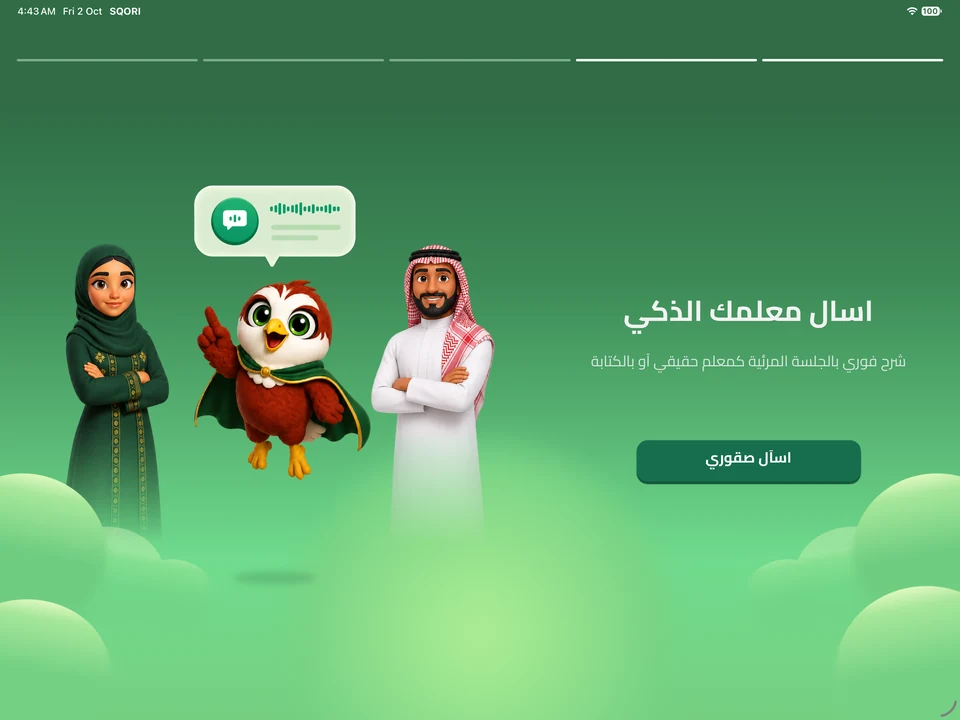
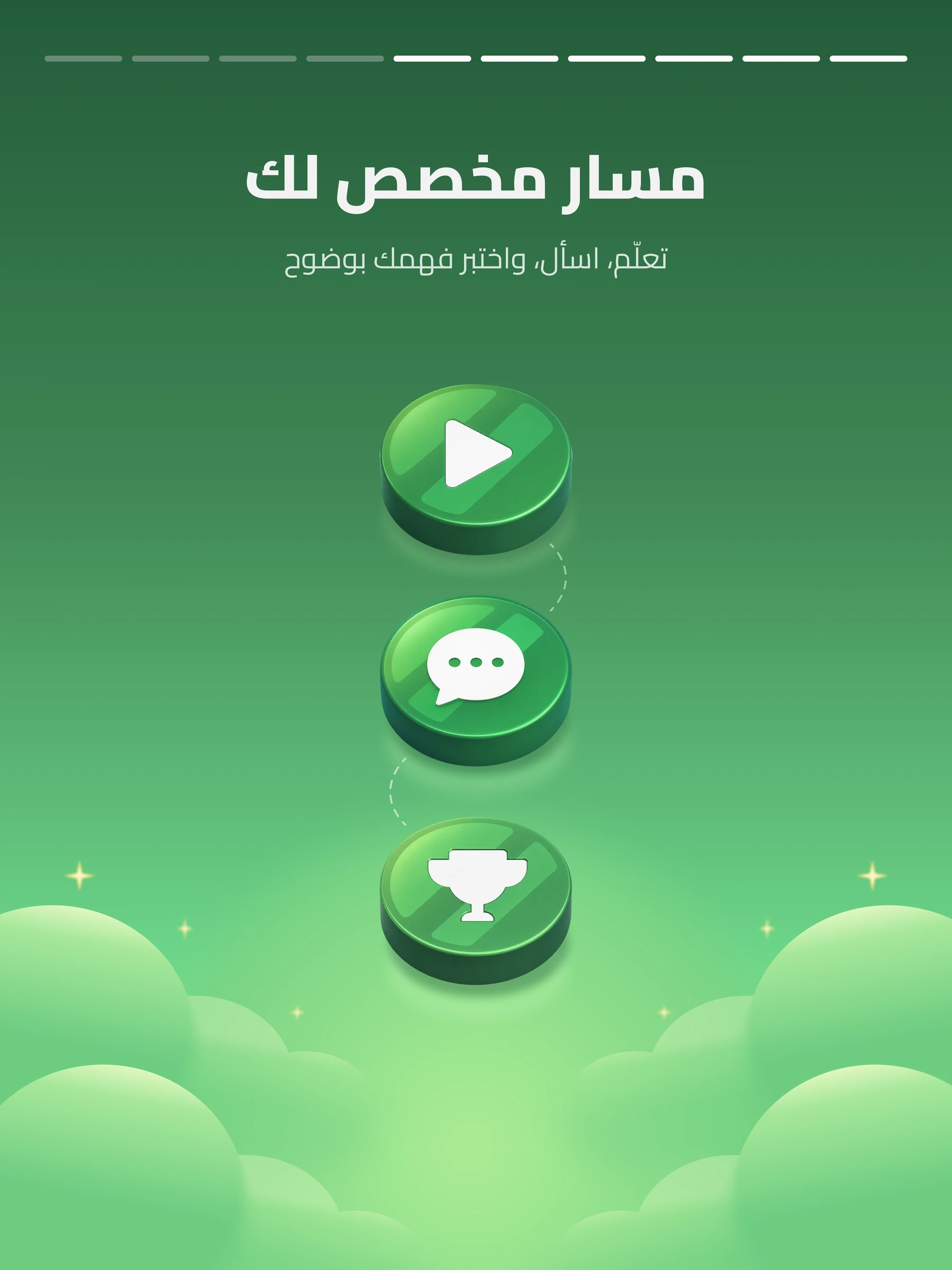
Actual SQORI iPad onboarding — ask your smart teacher

SQORI on iPad · 13-inch iPad Pro (M5) frame

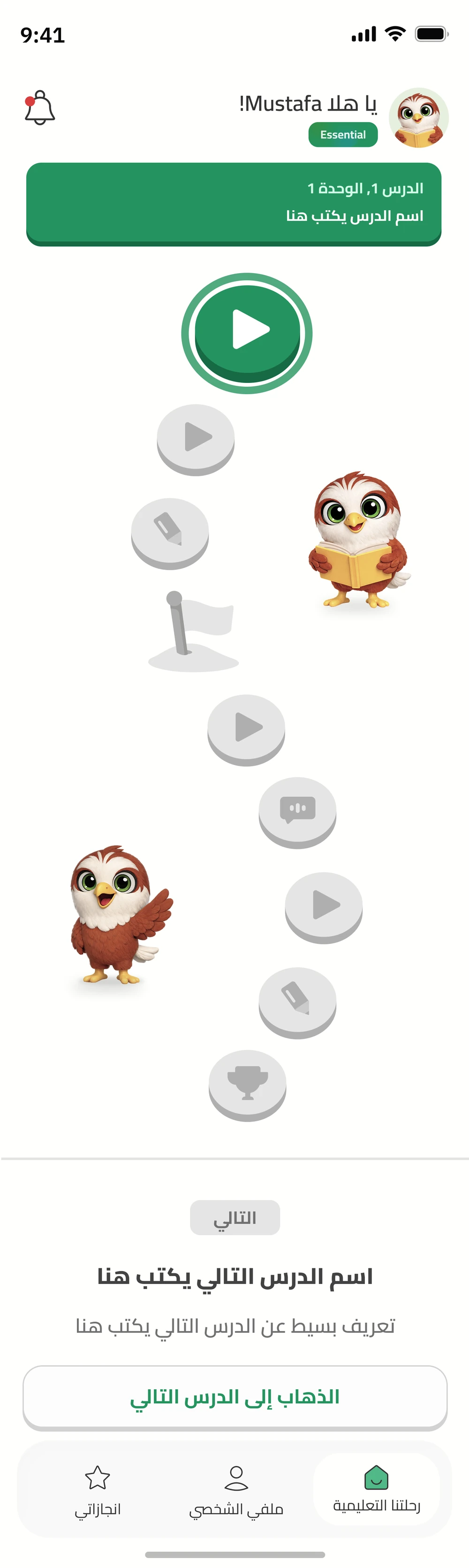
Actual SQORI iOS learning path

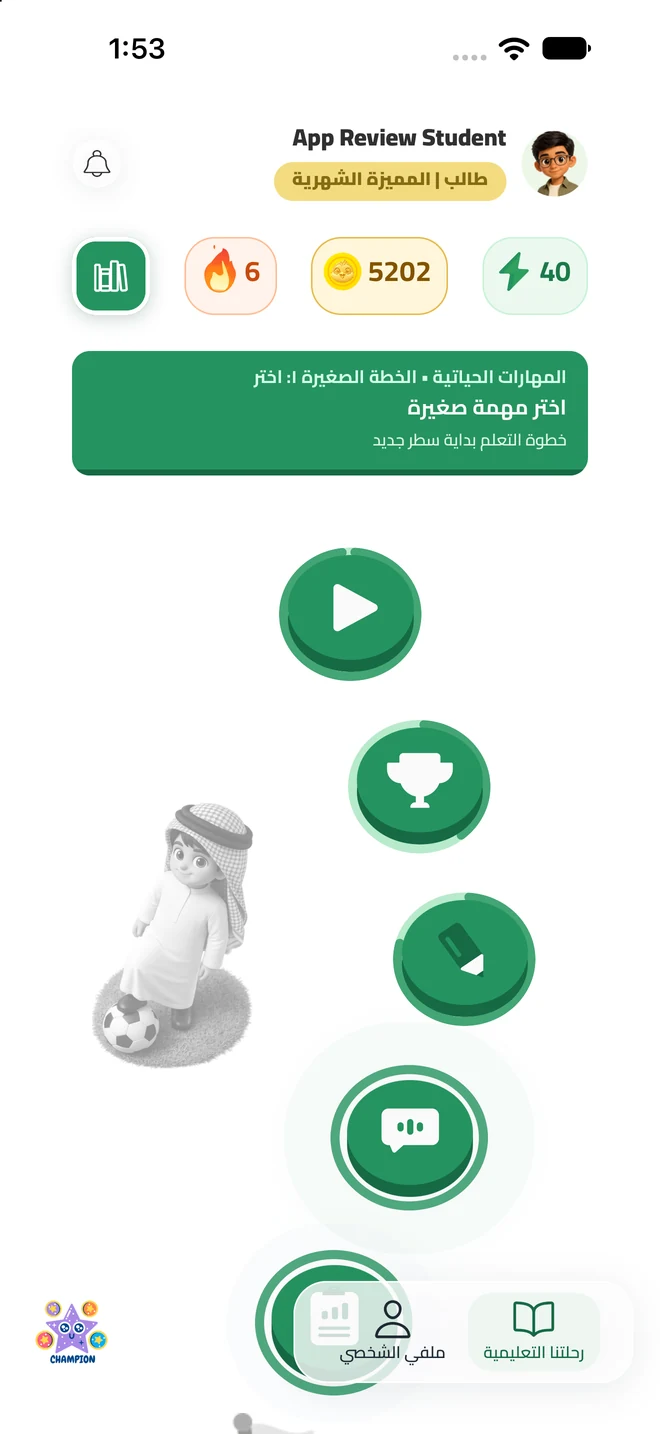
The real SQORI iOS app

YOUR TURN

Which two make a half?

Tap two parts. You can always try again.

Illustrative activity
Your next adventure starts with one question.

BUILT AROUND HOW YOU LEARN

An explanation is only the beginning.

A clear example. A chance to think for yourself. Support when an idea needs another try. SQORI brings them together, so learning moves with your answers—and your family has a clearer way to support you.

SQORI Saudi male AI tutor character artworkSQORI falcon AI tutor character artworkSQORI Saudi female AI tutor character artwork
Your tutor. Your choice. Saudi male, Saudi female or SQORI.
  1. Make the idea clear.

    Explore an explanation and an example.

  2. Take an active part.

    Choose, practise and explain your thinking.

  3. Check it. Build on it.

    Find the gap or take your next step.

An explanation that meets you here.

Different words, a fresh example or a gentler pace. Your lesson and answers help shape how IntelliLearn guides you through the idea.

A lesson you take part in.

Make a prediction. Choose a practice path. Recall an idea or teach it back in your own words. You do the thinking, with guidance beside you.

Encouragement that means something.

Feedback recognises effort, approach and progress. A difficult answer becomes a place to learn, with room to try again and no need for comparisons.

Another way through the difficult bit.

Start with a hint, explore clearer choices or work through an example together. Return to the idea with a fresh question after more teaching.

Your answer shapes what comes next.

Lesson checkpoints check understanding before the next step. When something is missing, guided practice and another explanation bring the focus back to it.

A journey that stays connected.

Saved learning context and a whiteboard that follows the explanation keep the thread. Connected family insights help turn progress into support at home.

Start with the idea you want to understand.

For your next ‘I get it!’

Make learning yours.One question. A new possibility.

When a lesson leaves you with questions, SQORI gives you a place to begin. Ask in Arabic or English, work through your school subjects, practise the idea and see your next step. Your voice tutor, learning path and progress stay connected — with people ready to support your journey.

Ask with confidence. Practise with purpose. See your next step.

Your subjects. A clearer starting point.

Choose your school stage, grade, semester and subjects. Your Learning Path connects lessons, tutor sessions, practice and checkpoints around what you are learning.

A question is a good beginning.

Speak in Arabic or English, explore a lesson-aware explanation and ask for another way to understand. Pause when you need to, then continue at your pace.

See what your effort is building.

Explore strengths in My Power, celebrate achievements in My Trophies and follow your progress. Your Academic Hub keeps tasks, tutor access, appointments and grades within reach.

Student interface and onboarding previews · Tap a screen to explore the details.

MADE FOR THE WAY YOU LEARN.

Different moments. The right kind of support.

Some days you need an explanation. Some days, practice. Sometimes, a person to guide you. Five connected SQORI experiences give each learning moment a useful next step.

IntelliLearn

Speak up. Make the lesson yours.

Choose a Saudi male, Saudi female or SQORI 3D AI tutor. Speak Arabic or English. Explore explanations shaped by your answers, think aloud, practise step by step and check your understanding. Hints and another example help you work through the difficult part, with saved learning progress to build on next time.

ReadyLearn

Turn ‘I understand’ into ‘I can try’.

Move from curriculum lessons and narration into practice, quizzes, assignments and checkpoints. Keep the explanation close to the activity, and follow a path that makes the next thing to work on easier to find.

AssistantLearn

Make room for the way you learn.

Explore simpler language, adjustable pacing, focus support, transcripts and accessibility controls. Take the time you need and choose support that helps you stay with the lesson.

MentorLearn

Bring a human into your next step.

Connect with educators through scheduled individual or group support when enabled for your account. Mentoring links your goals, progress and areas for practice, so the conversation has a meaningful place to begin.

MIFHAAM

Learning that keeps your journey in view.

SQORI’s learning intelligence brings your lesson, progress and learning gaps together. It helps guide explanations, practice and human support around what you are working on, within your enabled services.

Why choose SQORI?

Your subjects. Your questions. Your progress. Connected.

The value of SQORI is how the whole journey works together. School lessons give your questions a starting point. Explanations lead into practice. Progress helps guide what comes next. AI tutoring, human guidance and family support stay part of that same journey, built around your school learning.

  1. Ask

    Bring your question to a lesson-aware tutor.

  2. Understand

    Explore the explanation at a pace that fits.

  3. Practise

    Put the idea to work through connected activities.

  4. Move forward

    See progress, find support and choose the next step.

Start your SQORI journey

Student interface and onboarding previews. Features vary by account, plan and enabled services.

For the people cheering them on

Understand their learning. Know how to help.

Stay close to each child’s progress, see where a little support may help and choose a practical next step. SQORI brings the learning picture together, so your encouragement has a clearer starting point.

See their whole learning picture

Bring progress, subject mastery and recent activity into one view. Notice the effort worth celebrating and the skills worth another look.

Make your support more specific

Explore recurring difficulties and the activity behind a suggestion. Start with a clearer idea of what to practise, encourage or discuss together.

Keep the next step manageable

Review support plans, follow their steps and manage your child’s requests. Stay involved through small, practical decisions that fit family life.

FIVE EXPERIENCES. ONE SQORI.

Different help. Same journey.

A voice tutor, a clear lesson, room to focus, a real person and a thoughtful next step. Explore them all.

01 · IntelliLearn

Your voice. A 3D AI tutor. A clearer next step.

Choose your 3D AI tutor: a Saudi man, Saudi woman or SQORI. Speak in Arabic or English, explore an explanation shaped by your answers and put the idea into practice. IntelliLearn checks your understanding, works through difficult steps with you and connects progress to your next lesson.

  • Say it in Arabic or English. Keep your own voice in the conversation.
  • Think, recall and explain the idea in your own words.
  • Work through a missing step with hints, practice and a fresh check.
See how IntelliLearn helps
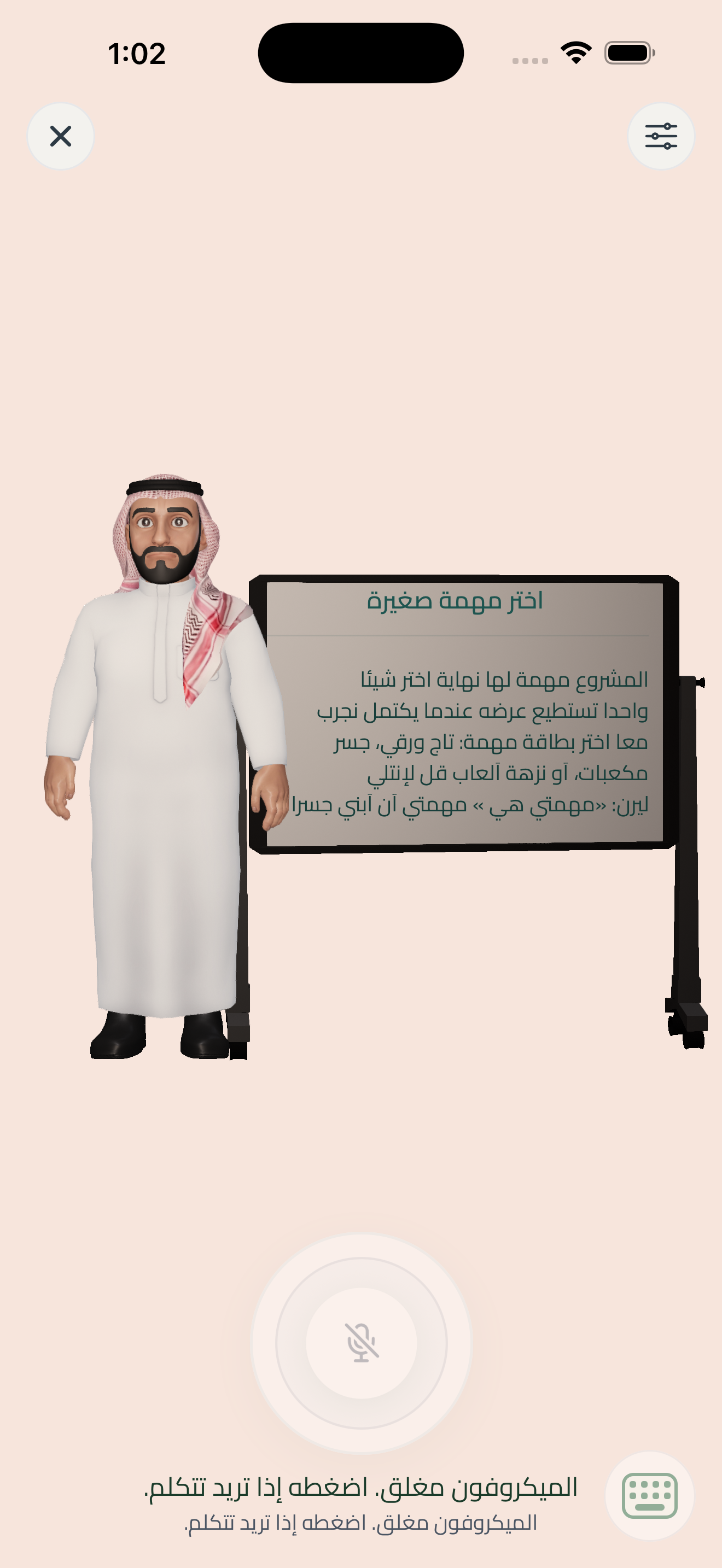
Actual SQORI iOS tutor avatar and whiteboard from an earlier app build

Real SQORI iOS capture · tap to enlarge

GO ON. HAVE A GO.

Understanding feels better when you try it.

A small example of learning by doing. Tap the equal pieces. Change your mind. Try again. There’s no rush.

Explore lessons and practice
LET’S TRY SOMETHING

Can you share this equally?

Tap the slices to give half to a friend.

Try a slice. There’s room to think again.

EVERYONE AROUND THE LEARNER

A place for you, too.

Families first. Learners at the centre. Teachers and schools connected to the same learning story.

Know what they tried. Help with what comes next.

You are part of their learning story, with a clearer picture and practical family controls.

Explore your journey

Your children, together

Invite your children and follow progress, mastery and activity.

Academic Hub

See what was studied, what was mastered and what needs attention.

Family choices

Manage family subscriptions, spending and notifications.

Support and safety

Stay connected to support and parent-controlled visibility.

THE WHOLE LEARNING DAY

More than a lesson.

The practical things belong here, too. Keep learning, people and everyday follow-up connected.

Academic Hub

Curriculum, courses, lessons and enrollment connected to Saudi grade and subject context.

Family choices and controls

Child invitations, family plans, spending, notifications and safety controls.

Messages and a helping hand

Chat, announcements, notifications and support keep the conversation going.

A place for work and files

SQORI Space and Office bring private files, permissions and collaborative documents together.

The practical school day

LMS and SIS connect assignments, quizzes, grades, attendance, timetables and learner records.

People, plans and follow-up

School enrollment, staff and student administration, billing, reporting and permissions.

SQORI app captures and student and parent interface previews. Interactive activities use sample data. Features vary by role, plan and enabled services.

Explore all platform tools ↗

A FEW HELPFUL ANSWERS

Wondering where to start?

What is SQORI?

SQORI is a Saudi-built, Arabic-first learning platform for school students and the people supporting them. It connects curriculum-based lessons, AI tutoring, practice, human guidance and learning progress in Arabic and English. Families, teachers and schools have experiences suited to their roles.

Explore this part of SQORI ↗
Who is SQORI for?

Everyone can explore SQORI’s public website. The learning platform brings together students, families, teachers, mentors and school teams, with services suited to each role. Its learning content is organized around school grades, subjects and courses, from primary through secondary education. Check the courses and access offered for your account when choosing support.

Explore this part of SQORI ↗
Can we use SQORI in Arabic and English?

Yes. SQORI is designed for Arabic and English, including right-to-left Arabic and left-to-right English interfaces. IntelliLearn supports asking learning questions in either language. The languages and activities available in a particular course or service depend on its content and setup.

Explore this part of SQORI ↗
How does SQORI connect to the Saudi curriculum?

SQORI’s learning model uses Saudi grade and subject context, curriculum sources, courses and published lessons. ReadyLearn organizes lesson delivery and practice, while IntelliLearn can ground teaching in the learner’s lessons. Check the courses and subjects available to your child before choosing a service.

Explore this part of SQORI ↗
What are the five learning experiences?

IntelliLearn provides interactive AI tutoring. ReadyLearn organizes lessons and practice. AssistantLearn offers support that considers language, pace, focus and accessibility. MentorLearn connects learning with human guidance. MIFHAAM is the shared learning intelligence that brings curriculum, progress and learning needs into the next-step decision.

Explore this part of SQORI ↗
Can my child ask IntelliLearn a question out loud?

Yes. IntelliLearn supports Arabic and English voice tutoring with three AI teacher choices: a Saudi male tutor, a Saudi female tutor and SQORI, the falcon character. Ask about your lesson, hear an example, take part in practice and answer a checkpoint. Your answers help guide another explanation, focused support or the next step. The interactive 3D avatar gives the tutor a visible presence. All three are AI interfaces; MentorLearn is the separate route to a human educator. Voice, character selection and activities follow the enabled service and family settings.

Explore this part of SQORI ↗
How do I take an active part in an IntelliLearn lesson?

IntelliLearn includes learning moves that ask you to predict, compare, recall an earlier idea, choose a practice path or explain a step in your own words. You might work through an example together, spot a missing step or teach the idea back. These activities give your tutor an answer to respond to and help you examine your reasoning. The activity follows the lesson and current learning need; every session does not use every type of interaction.

Explore this part of SQORI ↗
See all questions & answers ↗

Download SQORI.

Your AI tutor. Your lessons. With you every day.

Get it on Google Play

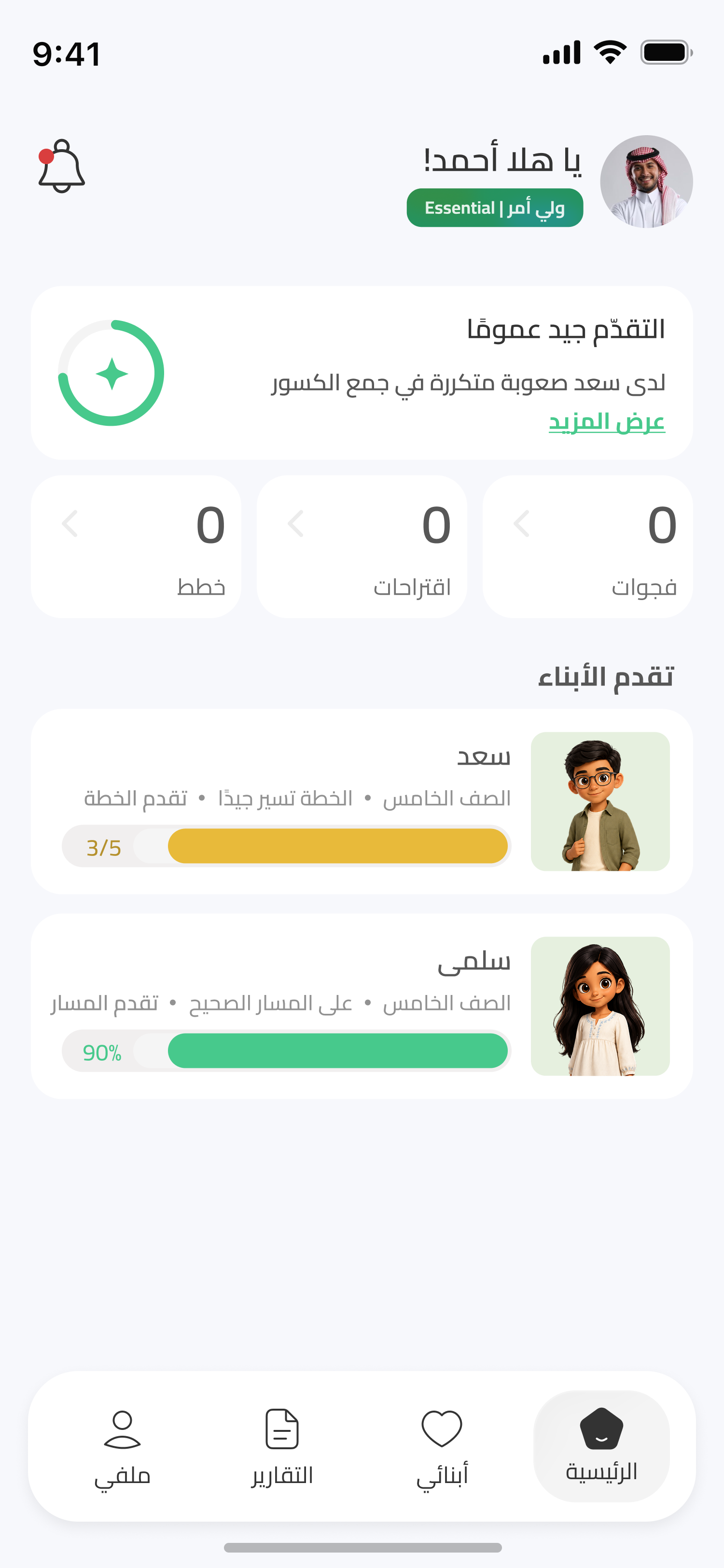
Parent overview

Supplied Arabic parent home preview showing children’s progress and a recurring difficulty with fractions.

SQORI parent interface preview supplied by the team. The same Arabic screen is shown in both presentation frames.